Введение

In this guide, we will show you how to remove the Hard Drive.

Инструменты

  1. YBF1UDQThZ1XEwNi
    • CAUTION: Before working inside your computer, follow the Follow the procedures in "Before You Begin."

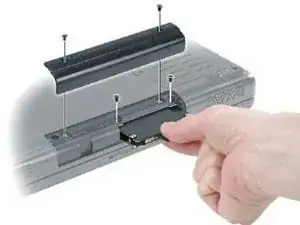
    • Turn the computer over, and remove the hard drive cover screws.

  2. 2iK5FFQBoAMA6Ukv
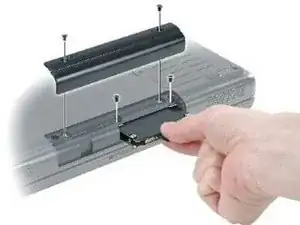
    • Lift the hard drive cover and remove the screws used to secure the hard drive.

  3. CPXXgOUsgNZmO1Ld
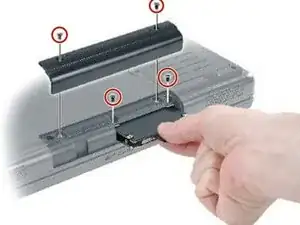
    • A black plastic strap is attached to the hard drive to assist in removal. Grasp the strap and pull straight out to remove the hard drive from computer.

Заключение

To reassemble your device, follow these instructions in reverse order.

Terrence15

Участник c: 18/12/17

79675 Репутация

0 комментариев